SETTINGS
Scoring & Data
Use Settings → Scoring & Data to select the active nutrition profile and configure nutrient-density scoring.
Primary data source
Choose the profile that supplies the main nutrient and intake values: Cronometer, FatSecret, MyFitnessPal, or Custom. Source capabilities determine which nutrients and completed-day information are available. When a selected nutrient is not supported by the current source, enabling it can switch the profile to Custom.
Completed days
Support for completed days enables the completed-day filter when the selected source provides that concept. It does not create completion information that is absent from imported data.
Scoring model
Scoring model settings determine how foods and overall nutrition are evaluated; see Nutrient Scoring Models for more information.
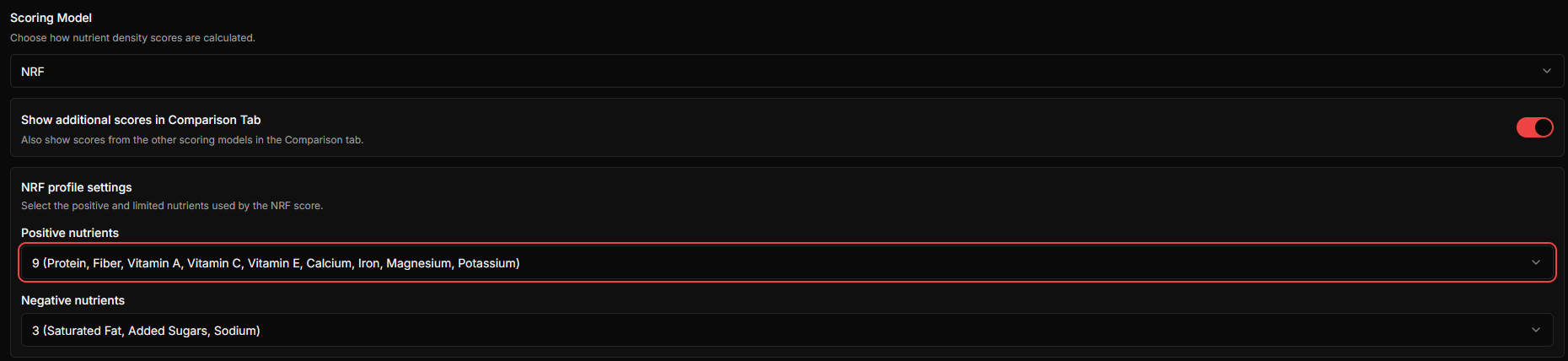
Enable Show additional scores in Comparison Tab to display results from other available models next to the active model.
NRF profiles
Choose a positive NRF profile (9, 15, 21, or 26 nutrients) and a negative profile (2, 3, 4, or 5 limited nutrients); see Nutrient Scoring Models for the nutrient lists and scoring details.
Data and privacy
These settings affect how the existing browser data is interpreted; they do not modify the imported source files. For backup, migration, and deletion guidance, see Data Management & Privacy.
Related guides
Continue with these connected Fuel Lens guides.